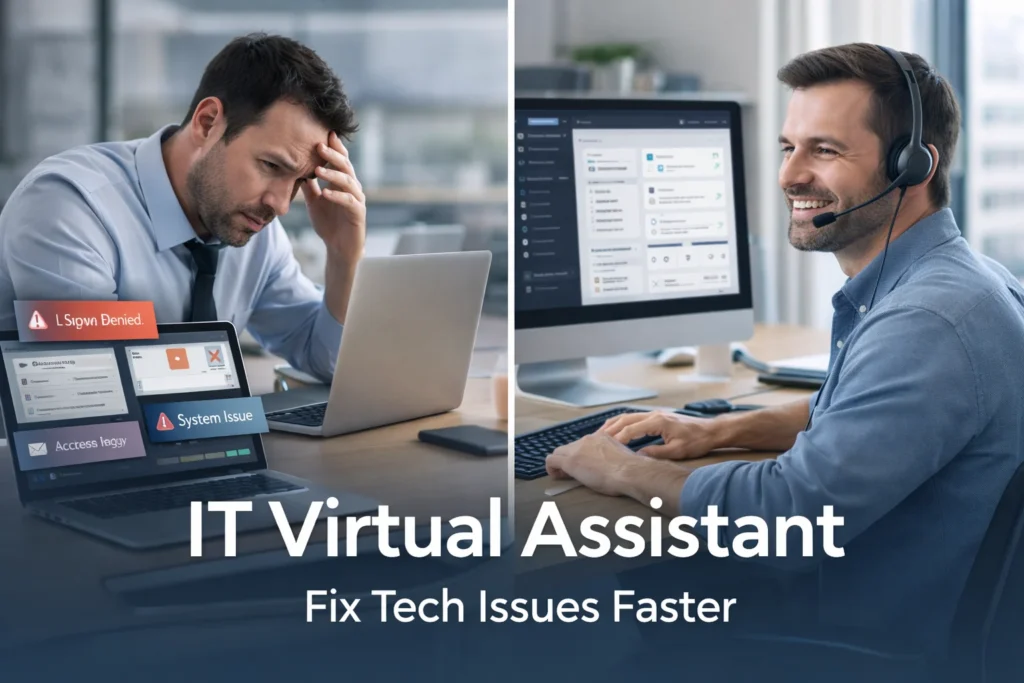
If your business keeps getting slowed down by small tech problems you are not the only one dealing with it.
One login issue turns into a missed task one broken tool creates delays for your team one software setup problem takes away an hour you did not plan for and after a while you start feeling busy all day but still not moving fast enough .
That is exactly where an IT virtual assistant can make a real difference .
A lot of business owners think they only need sales help or admin help But in real life growth often gets blocked by the technical work happening in the background email setup Access issues Tool management . Website updates . Team onboarding . Basic security checks . These things look small until they start affecting everything.
If that sounds familiar this guide will make it simple for you. You will understand what an IT virtual assistant is what they actually do and how to know if it is the right move for your business and if you are already exploring broader remote support models you can also look at virtual employee services or see how real virtual assistant support can improve productivity .
Quick Answer
Get specialized virtual assistant support tailored to your industry and workflow. Read the complete Virtual Assistant Guide 2026 for pricing, hiring steps, and industry comparisons.
Part of the CapStonePlanet Virtual Assistant Guide series.
What Is IT Virtual Assistant ?
An IT virtual assistant is a remote professional who helps your business with technical tasks .
They are different from a regular virtual assistant because their work is focused on tools systems access software setup and daily tech support .
In simple words they help when your business has too many small technical issues and nobody has enough time to handle them properly .
IT virtual assistant vs general virtual assistant
A general virtual assistant usually handles :
- Email management
- Scheduling
- Data entry
- Follow ups
- Calendar work
- Admin support
An IT virtual assistant handles more technical work like :
- Setting up email accounts
- Fixing login or access problems
- Managing software tools
- Supporting remote team setup
- Handling simple website maintenance
- Organizing systems and permissions
- Solving basic tech issues before they become bigger
So if your daily pain is more technical than admin related you need an IT virtual assistant not just a general VA.
IT virtual assistant vs in-house IT support
A lot of businesses do not need a full time IT team in the beginning .
That is where an IT virtual assistant becomes useful .
It can be a smart fit when :
- You need flexible support
- Your team is small or growing
- Your issues are recurring but not deeply complex
- You want help without full time hiring cost
If your business is scaling and you are already looking at outsourcing as a growth model, this is similar to how many companies use business process outsourcing or work with an outsourcing service provider in India to reduce operational pressure .

it virtual assistant
Signs You Need an IT Virtual Assistant
A lot of business owners wait too long before getting this kind of support they keep solving small tech problems themselves until it starts affecting team performance .
1. You keep wasting time on small tech issues
If you spend too much time fixing email settings access problems software errors or simple integrations that is a strong sign .
The real issue is not the task itself the real issue is the time it steals from the work that actually grows your business.
2. Your team depends on one person for every tech task
In many businesses one employee becomes the person everyone goes to when something breaks
That usually leads to delays stress and poor systems
If one person is carrying all the small technical tasks your business already has a process problem
3. Your software tools feel messy
Most teams keep adding tools without building a clean system around them .
You may already be using :
- Google Workspace or Microsoft 365
- Slack or Teams
- A CRM
- Project management tools
- Website plugins
- Automation tools
If these tools are not managed properly your team will work slower than it should .
4. Security basics are getting ignored
Backups permissions Two factor authentication Password rules Account cleanup
These things often get ignored because no one owns them
That is risky even basic security habits can prevent bigger issues later
According to the Cybersecurity and Infrastructure Security Agency basic practices like access control and account protection are part of the first layer of business security.
5. Remote team members keep facing setup problems
Remote work only feels easy when the systems behind it are organized
If new team members keep struggling with logins tools permissions or onboarding steps that is a clear sign you need technical support that is structured.
What Does IT Virtual Assistant Do ?
This is where many business owners get confused
They hear the term but they are not sure what tasks are actually included
An IT virtual assistant usually handles day to day technical support and system maintenance that keeps your business running smoothly.
Daily IT support tasks
Password resets and user access management
When people lose access or permissions are wrong work stops .
An IT virtual assistant can handle :
- Password resets
- User account setup
- Permission changes
- Access cleanup for former employees
Email setup and troubleshooting
Email issues are more common than most business owners expect .
They can help with :
- Setting up company email accounts
- Fixing sending or receiving issues
- Connecting email to devices
- Managing forwarding and alias rules
Device and software setup for remote teams
When a new team member joins setup should not take days .
An IT virtual assistant can prepare :
- App access
- Email accounts
- Shared drive permissions
- Communication tools
- Basic setup instructions
Help desk support for common technical issues
Not every business needs a full internal help desk .
But if your team keeps running into basic issues an IT virtual assistant can handle first-line support for :
- Login errors
- Tool sync issues
- Browser setup problems
- Access confusion
- Simple troubleshooting requests
System and software management
SaaS tool setup and maintenance
Most businesses now run on software subscriptions
An IT virtual assistant can help manage
- User accounts
- Permissions
- Settings
- Renewals
- Tool cleanup
CRM and cloud workspace support
If your CRM or workspace tools are messy, your whole team feels it
They can support systems like :
- Hubspot
- Zoho
- Google Workspace
- Microsoft 365
- Notion
- ClickUp
- Trello
- Asana
They may not handle deep development but they can absolutely manage setup cleanup and daily support .
Software updates and license tracking
Expired licenses and outdated software create avoidable problems
An IT virtual assistant can :
- Track renewals
- Make sure tools stay active
- Check version updates
- Reduce duplicate subscriptions
Workflow automation and app integrations
If your team repeats the same small steps every day there may be a better way
Some IT virtual assistants can help with :
- Basic Zapier automations
- Connecting forms to CRMs
- Moving data between tools
- Creating simple workflow rules
Website and digital operations support
Many businesses need light technical website support not a full developer .
Basic website maintenance
- Updating pages
- Fixing simple issues
- Checking broken forms
- Monitoring basic uptime problem
CMS updates and plugin checks
If you use WordPress plugin updates and basic maintenance matter more than most people think
Ignoring them can cause slowdowns, bugs or security issues.
Domain or hosting and DNS support
This is one of the most confusing areas for many business owners
An IT virtual assistant can help with :
- Domain renewals
- DNS records
- Hosting account access
- Email routing basics
- SSL checks
Security and data protection support
This does not mean advanced cybersecurity engineering
but it does mean handling the basic protection tasks many small businesses ignore .
Backup monitoring
If your backups fail and no one notices that becomes a serious problem later
An IT virtual assistant can :
- Check backup status
- Confirm schedules
- Flag errors early
Basic cybersecurity checks
They can help with :
- Enabling MFA
- Reviewing permissions
- Removing unused accounts
- Checking password practices
- Spotting simple risks
Google also recommends strong admin controls and account protection for business environments through its Google Workspace Admin Help .

it virtual assistant
Why Businesses Struggle Without the Right IT Support
This is the part many people underestimate
The issue is not just that you have tech problems
The real issue is that small technical problems interrupt everything else
Small issues become expensive
A broken login sounds minor but if that login blocks your team for an hour delays a client task or stop work from moving forward it is no longer a small problem .
Too many tools create confusion
Most businesses add software over time without creating a system
You start with one tool, then add another, then another Soon nobody knows :
- Which tool is the source of truth
- Who has access
- What should be updated
- Which subscriptions are still useful
That creates waste confusion and friction across the team .
Remote work adds more moving parts
Remote and hybrid teams need better systems than many business owners expect
Without that, you get :
- Setup delays
- Access issues
- Device confusion
- Slower onboarding
- More repeated support requests
In-house hiring is not always practical
Some businesses do need a full IT team but many do not.
If your problems are regular but manageable hiring full time staff may be too expensive too early .
This is why many growing companies use remote support models just like they use customer care outsourcing services or broader BPO support in India to keep operations efficient .
Benefits of Hiring an IT Virtual Assistant
Once the right person handles these tasks the difference becomes obvious very quickly .
Faster issue resolution
Instead of waiting until a problem becomes urgent you have someone who can fix or manage it early .
Lower cost than full-time IT staff
You pay for the level of support you actually need that is often a much smarter setup for small businesses .
Better support for remote teams
Remote teams work better when systems are organized access is clear, and setup is consistent .
More reliable tools and smoother operations
When someone owns the technical side your tools stop feeling random that reduces daily friction .
Better security habits
Even basic improvements like proper permissions and MFA can lower risk .
More time for real growth work
This is usually the biggest benefit you stop getting pulled into tech tasks that should not be on your plate .
IT Virtual Assistant vs General Virtual Assistant Which One Do You Need ?
When a general virtual assistant is enough
A regular VA is a good fit if you mainly need
- Inbox management
- Calendar support
- Data entry
- Customer follow up
- Research
- Scheduling
When you need IT virtual assistant
Choose an IT virtual assistant if your main issues are :
- Software setup
- Login problems
- Access control
- Tool organization
- Basic website support
- SaaS management
- Remote team onboarding
- Technical troubleshooting
When you may need both
Some businesses need both roles.
One handles admin and operations the other handles technical systems and support .
If you want broader remote support beyond just IT you can also explore how virtual assistants help cut costs and improve efficiency.

it virtual assistant
How to Hire the Right IT Virtual Assistant Step by Step
If you hire without clarity you will probably choose the wrong person the best approach is simple.
Step1: List the exact problems you need solved
Do not start with job titles start with real issues
Ask yourself :
- What tech problems happen every week
- What tasks keep getting delayed
- What work do I keep doing myself that I should not be doing
Step2: Separate one time tasks from ongoing support
Some jobs are setup projects others are recurring support .
One time tasks :
- Clean up Google Workspace
- Set up team permissions
- Organize software tools
- Fix domain and email setup
Ongoing tasks :
- Handle access requests
- Support new hires
- Monitor backups
- Manage software issues
- Maintain basic website tasks
Step3: Define the tools they must know
Do not assume all IT virtual assistants know the same systems be specific.
- Google Workspace
- Microsoft 365
- Slack
- Teams
- Shopify
- WordPress
- HubSpot
- Zoho
- ClickUp
- Zapier
Step4: Check technical skill and real world experience
Do not only ask if they know IT ask what they have actually handled before.
Good questions include :
- What tools have you supported before
- What common issues do you usually solve
- Have you handled remote team onboarding
- Have you managed permissions and access controls
- Have you supported websites or domains
Step5: Test communication
Technical skill matters, but communication matters too they should be able to explain things in plain English
Step 6: Start with a paid trial task
This is one of the best ways to avoid a bad hire
Give them a small real task such as :
- Set up a new user account
- Audit software access
- Fix a website form issue
- Organize shared drive permissions
- Create a basic onboarding checklist
Step7: Set clear security rules
Before giving access protect your systems
Use :
- Password managers
- Limited permissions
- Role-based access
- Two-factor authentication
- Clear approval steps
Step8: Measure results
Track simple results like :
- Response time
- Issue resolution speed
- Fewer repeated problems
- Smoother onboarding
- Less time spent by you or your team on technical tasks
Skills to Look for in an IT Virtual Assistant
Not every technical assistant is the same here are the skills that matter most.
Technical troubleshooting
They should solve common issues without turning every small problem into a big project .
SaaS and cloud tool experience
Modern businesses rely on cloud tools if they are strong with these systems they become useful much faster.
Basic security awareness
They should understand permissions MFA or backups and simple risk prevention .
Documentation skills
A good IT virtual assistant should document what they do this helps your business stay organized and reduces confusion later.
Clear communication
They need to explain problems in a simple way so non technical people can follow along.
Reliability and ownership
You want someone who notices patterns flags issues and handles tasks without constant reminders .
Best Tasks to Outsource to an IT Virtual Assistant First
If you are not sure where to begin start with the tasks that create the most friction :
- Email and workspace setup
- User access management
- New employee onboarding support
- Software troubleshooting
- CRM or tool cleanup
- Website admin support
- Backup checks
- Plugin and update checks
- Automation of repeated technical tasks
- Software license tracking
Start small and let the value show through real work .
Common Mistakes to Avoid When Hiring an IT Virtual Assistant
Hiring a general VA for technical work
This is one of the most common mistakes if the role is technical hire for technical skill.
Not defining tools or responsibilities clearly
If your job post is vague the wrong people will apply.
Be specific about systems, tools, and outcomes.
Giving full system access too soon
This is risky and unnecessary use limited access first.
Ignoring security basics
Even small businesses need password systems access rules and MFA .
Expecting advanced IT strategy from a support role
An IT virtual assistant can be very helpful but they are not always a full IT consultant or systems architect be clear about the level of support you actually need.
Choosing only by low price
Cheap support often becomes expensive if mistakes keep happening fit matters more than the lowest hourly rate .
How Much Does an IT Virtual Assistant Cost ?
Pricing depends on skill tools and complexity there is no single fixed number but here is the practical way to think about it.
What affects pricing
- Experience level
- Task difficulty
- Number of systems involved
- Time zone overlap
- Industry specific knowledge
- Project work vs ongoing support
Hourly vs monthly support
Some businesses prefer hourly help for small tasks others prefer a monthly setup for regular support if your issues repeat often a monthly arrangement usually makes more sense.
Paying more can save money
This sounds backward but it is usually true
If a skilled IT virtual assistant solves issues faster prevents repeat problems and keeps your systems clean you save far more than the rate difference.
IT Virtual Assistant Use Cases by Business Type
For small businesses
They help keep daily operations stable without the cost of full time IT staff.
For startups
They support fast moving teams using many tools and remote workflows .
For ecommerce businesses
They can help with :
- Shopify or WooCommerce basics
- Order tool integrations
- Email system support
- Website admin tasks
- App and plugin checks
For agencies
Agencies often use many platforms and client systems
An IT virtual assistant can reduce internal chaos and support team workflows
For busy founders
If you are the person everyone goes to when something breaks this role can remove that burden quickly .
FAQs About IT Virtual Assistants
What is an IT virtual assistant ?
An IT virtual assistant is a remote professional who helps with technical business tasks like software setup access management troubleshooting website support and system organization .
What does an IT virtual assistant do ?
They usually handle day to day tech support tool management user access onboarding support basic security tasks and light website or system maintenance .
How is an IT virtual assistant different from a regular virtual assistant ?
A regular VA focuses more on admin work an IT virtual assistant focuses on technical systems and support .
Can an IT virtual assistant handle cybersecurity tasks?
They can help with basic security tasks like MFA setup, access reviews, password practices, and backup checks. For advanced cybersecurity work, you may need a specialist.
Is an IT virtual assistant better than hiring in house IT staff ?
For many small businesses yes If your needs are part time or recurring but not highly complex an IT virtual assistant is often more flexible and cost effective .
What tools should an IT virtual assistant know ?
That depends on your business but common tools include Google Workspace Microsoft 365 Slack Teams WordPress Shopify, HubSpot Zoho ClickUp and automation tools like Zapier.
Can an IT virtual assistant help remote employees ?
Yes. This is one of the most useful areas they can support onboarding account setup permissions troubleshooting and day to day access issues.
Final Thoughts
If your business feels busy but still keeps getting slowed down by technical problems that is usually a sign something needs to change .
An IT virtual assistant is not just extra help it is a practical way to remove the small technical problems that quietly waste time every week.
Start by looking at the issues that keep repeating list the tasks that pull you away from real work then hand off the first few technical jobs that create the most friction .
You do not need to fix everything at once you just need to stop letting small IT problems run your day .
If you want a broader support partner that understands remote staffing virtual support and business outsourcing models CapstonePlanet is a strong place to start whether you are exploring virtual employee services looking for a trusted outsourcing agency in India or simply trying to reduce daily operational pressure the right support setup can make a big difference .
If this helps go through these steps and apply what fits your situation .
About the Author

Kishan Dangi (KK Patel)
Founder & CEO, CapStonePlanet
12+ years in BPO and outsourcing. Founded CapStonePlanet in 2018 to help US and Canadian businesses scale through dedicated offshore teams specializing in ecommerce support, virtual assistants, and customer service operations.
References
- CapStonePlanet — Virtual Assistant Guide 2026 — https://capstoneplanet.com/virtual-assistant-guide/
Pricing Notice: Pricing and savings vary depending on volume, scope, workflow requirements, and service configuration. Contact our team for detailed pricing and a customized estimate.